
Technology
Dell XPS 13 9345 vs MacBook Air M2: 2025 Laptop Face-Off
Can Dell’s reinvented XPS 13 9345 dethrone the MacBook Air M2 — or will Apple’s M2 still outclass it in battery life, performance, and polish?
Torn between Dell’s 2025 XPS 13 9345 Copilot+ AI PC and Apple’s renewed 2022 MacBook Air M2 (16GB/1TB)? This side-by-side look evaluates design, performance, battery life, displays, ports, software experience and value to help you pick the best ultraportable for 2025.
All‑Day Workhorse

A highly portable, efficiency-focused laptop that leans into on-device AI and industry-leading battery life. It’s ideal for users who prioritize all‑day (and multi‑day) endurance, modern wireless connectivity, and a compact form factor while still needing solid everyday performance.
Everyday Premium

A refined, ultra‑portable laptop that balances impressive M2 performance with a class‑leading display and sleek build. It’s best suited for users invested in macOS who want a silent, highly optimized experience, though port constraints and renewed‑unit variability are considerations.
Dell XPS 9345
MacBook Air M2
Dell XPS 9345
MacBook Air M2
Dell XPS 9345
MacBook Air M2
Design, Build Quality & Portability — Which Ultraportable Fits Your Day?
Chassis, dimensions & carry comfort
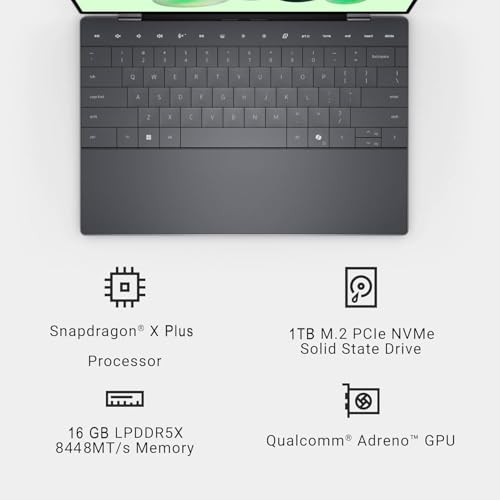
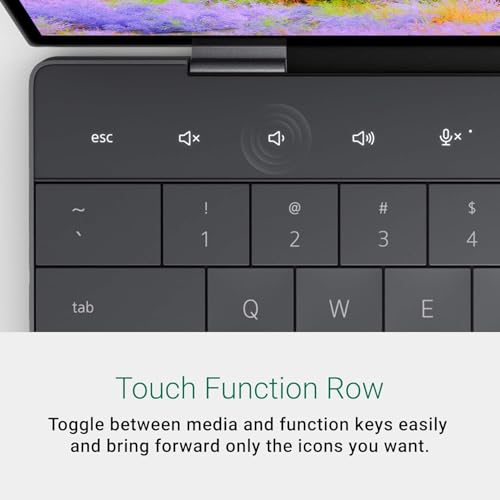
The Dell XPS 13 9345 is marketed as a thin & light Copilot+ AI PC with a graphite finish, slim InfinityEdge bezels and a 0.6″ profile (11.62 x 7.84 x 0.6 in) at 2.62 lb — slightly lighter than the Mac. Dell mixes premium plastics/metal in an ultra-compact frame designed for multi-day battery life claims (27 hours). It’s pocketable in most commuter bags and tolerates daily handling well.
Apple’s renewed MacBook Air M2 uses the classic aluminum unibody (11.97 x 8.46 x 0.44 in) and weighs ~2.7 lb. The Air is slimmer at the tapered edge and feels marginally denser in-hand. Its fanless design keeps it silent for long flights or libraries.

Hands-on feel, biometrics, and renewed-unit caveats
Keyboards and hinges: MacBook Air’s keyboard and hinge are consistently smooth with shallow travel and refined stability; XPS keys are responsive but slightly shallower, with a firmer hinge that keeps the display steady.
Biometrics: Dell offers IR webcam + fingerprint for Windows Hello; MacBook Air uses Touch ID integrated with Apple services (Apple Pay, iCloud Keychain).
Refurbished considerations and portability impacts:
Accessory ecosystems: Mac benefits from tight MagSafe/USB‑C and Apple accessories; Dell’s USB4/Thunderbolt and broader dock support favor workplace docking flexibility.
Side-by-Side Feature Comparison
Performance, Thermals & Battery Life — Snapdragon X Plus vs Apple M2
Dell XPS 13 9345 — Snapdragon X Plus (8-core + NPU)
The Snapdragon X Plus is optimized for low-power, on-device AI and excellent multitasking with 16GB LPDDR5x (8448 MT/s). App launches and switching feel instant for everyday work; the NPU offloads AI tasks (Copilot+) so background AI features remain responsive. Photo/video editing on native ARM apps and light GPU tasks are smooth, but heavy Premiere/After Effects-style exports will be slower than M2 native builds and can trigger thermal limits under sustained CPU/GPU load. Expect active cooling to ramp and possible clock reduction during very long renders.

MacBook Air M2 — Apple 8‑core CPU + unified memory
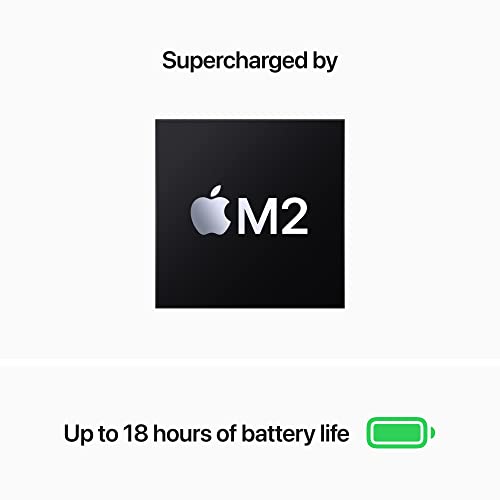
M2’s unified 16GB memory yields fewer data copies between CPU/GPU, boosting real-world photo/video editing, browser-heavy multitasking, and light gaming. Single‑thread responsiveness and native app performance are consistently faster than typical U‑series chips; in sustained tasks the fanless Air is thermally efficient but will modestly downclock during prolonged peak loads. Renewed units may have slightly reduced battery capacity.


Display, Webcam, Connectivity & Software Ecosystem — Daily Experience Matters
Display: color, brightness and motion
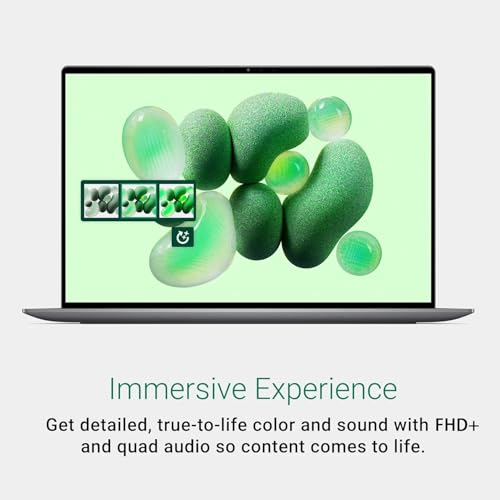
Dell: 13.4″ FHD+ (1920×1200) at up to 120Hz, anti‑glare, ~500 nits — smoother motion for scrolling, UI animations and light gaming but lower pixel density than Apple.
MacBook Air M2: 13.6″ Liquid Retina 2560×1600 — higher PPI, wider color (P3), and more accurate out‑of‑the‑box color for photo/video work.
Webcam, microphones and audio
Dell uses a 1080p IR webcam (Windows Hello) — better low‑light facial recognition. MacBook Air M2 has a 1080p FaceTime camera with Apple image pipeline; the Mac typically produces more natural skin tones. Mac’s microphones and stereo speakers (Spatial Audio) generally outperform most thin Windows laptops for meetings and media.
Connectivity & ports
Dell: Qualcomm FastConnect 7800 Wi‑Fi 7 (future‑proof), 2× USB4 (DisplayPort/PD).
MacBook Air M2: Wi‑Fi 6 (802.11ax), 2× Thunderbolt/USB4 plus MagSafe. Both need adapters for HDMI, SD or USB‑A.
Software ecosystem & longevity
Dell ships Windows 11 Pro with Copilot+ and on‑device NPU acceleration for AI features and broad app compatibility (but watch ARM app edge cases). MacBook Air runs macOS with tightly optimized native apps and unmatched Continuity across Apple devices; renewed units still get macOS updates for many years, though battery wear can shorten real‑world longevity.


Final Verdict — Which One Should You Buy in 2025?
Choose the Dell XPS 13 9345 if you want the latest wireless tech (Wi‑Fi 7), a 120Hz FHD+ display, Copilot+ AI Windows features and a Snapdragon X Plus design — it’s the clear winner for buyers valuing cutting‑edge hardware, Windows app compatibility and customization. Pick the renewed MacBook Air M2 if you prioritize macOS integration, superior performance-per-watt, mature app optimization and a premium aluminum build; it’s excellent value when refurbished condition and warranty meet your standards.
Quick buyer checklist: OS/ecosystem, performance needs, display preferences, battery life expectations, budget/renewed considerations. Decide based on prioritized needs, then buy the one that matches best.