Technology
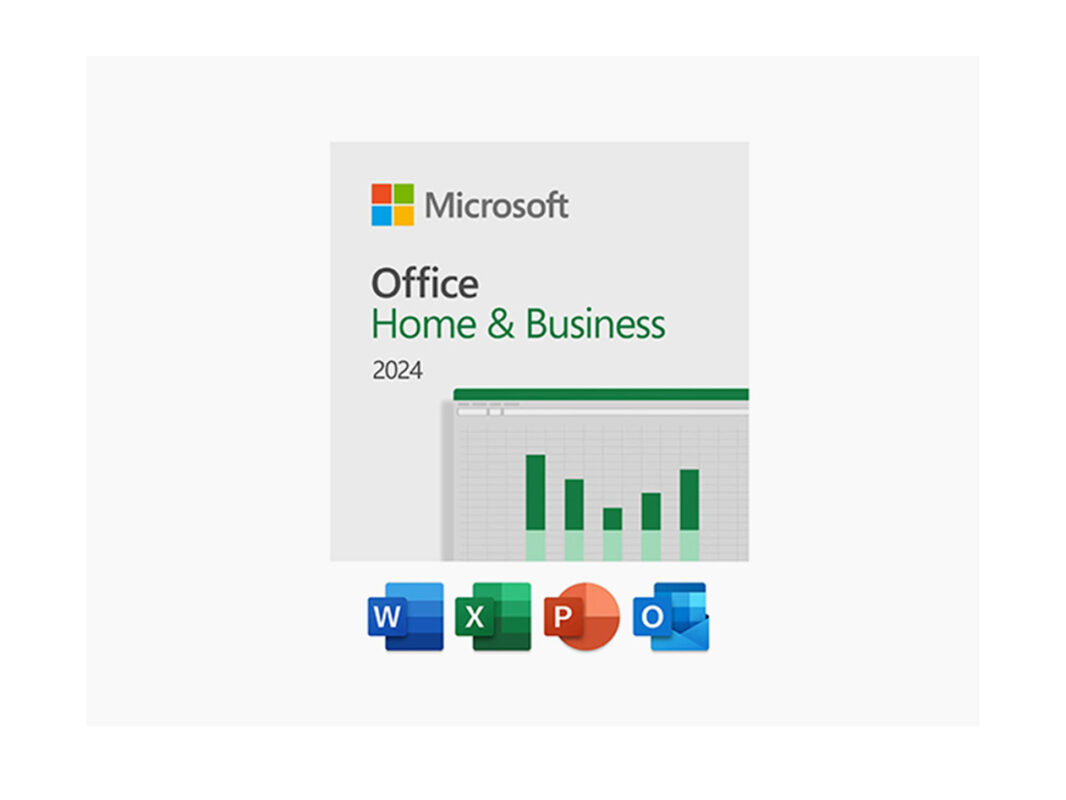
Microsoft Office 2024 Home & Business + Windows 11 Pro Bundle for $104
Mar

![Microsoft - Office Home & Business 2024 (1 Device) - Windows, Mac OS [Digital]](https://pisces.bbystatic.com/image2/BestBuy_US/images/products/4fc8f9d2-673d-4b88-9f99-d7c7a8bb0761.jpg)
KEY FEATURES
Unlock Your Potential & Boost Productivity with Office 2024
Take your productivity to the next level with Office 2024, designed to help you create content effortlessly, stay organized, and collaborate seamlessly with your team. Featuring classic apps like Word, Excel, PowerPoint, and Outlook, this suite empowers you with enhanced functionality without the hassle of multiple subscriptions. Work anytime, anywhere with genuine Microsoft apps installed directly on your computer, ensuring access even when offline. Enjoy robust security features, including improved search in Outlook and protection against XLL add-ins in Excel, backed by regular updates and support. Available as a one-time purchase for PC or Mac, Office 2024 provides essential tools without the ongoing costs of a Microsoft 365 subscription, making it the ideal choice for your business needs.

One-Time Purchase: Office 2024 is available as a one-time purchase, providing you with the essential tools for PC or Mac. Please note that this version does not include the services offered with a Microsoft 365 subscription, and there are no upgrade options for future releases.
Key improvements over Office 2021
- Enhanced Performance and Speed: Office 2024 has been engineered for superior performance, particularly in Excel. Users can now handle large datasets and open many workbooks without slowing down.
- Advanced Content Creation Tools: PowerPoint now allows users to record presentations with voice narration and videos, including live camera feeds. This capability is invaluable for remote presentations, as it enhances engagement and provides a personal touch.
- Improved Accessibility Features: Outlook’s updated accessibility checker helps ensure emails meet accessibility standards by highlighting unclear language and poor formatting.
- Modernized User Interface: The application design adheres to Fluent Design principles, providing a cohesive and visually appealing user experience across all Office applications. This makes navigation more intuitive, reducing the learning curve for new users.
Now with better, user-friendly design
- Unified Interface Across Applications: The design provides a consistent look across all Office applications, making it easier for users to navigate and feel productive in Word, Excel, PowerPoint, and Outlook.
- Enhanced Touch and Pen Support: The updated design improves touch and pen input, making it more responsive and user-friendly on tablets and hybrid devices.
- Accessible Templates and Themes: Office 2024 provides customizable templates and themes, enabling users to create professional documents, presentations, and spreadsheets effortlessly. This feature is especially helpful for small businesses aiming for a polished image without extensive design skills.
Collaboration made easy
- Co-Authoring: Real-time collaboration in Word, Excel, and PowerPoint lets multiple users work on the same document at the same time. This makes it easier for families to work together on school projects or household documents.
- Chat and Comments: Built-in chat and commenting features within Office applications enable direct communication and feedback, streamlining the review and editing process.
- Microsoft Teams Integration: Deeper integration with Microsoft Teams provides a central hub for collaboration, enabling users to chat, share files, and conduct virtual meetings directly within their Office applications.
- Version History: Track changes made to documents over time, allowing users to revert to previous versions or compare different drafts.
Microsoft Office now with AI
- Intelligent Suggestions: Office 2024 leverages AI to offer intelligent suggestions for text, formatting, and design elements, helping users create professional-looking documents more efficiently.
- Natural Language Processing: AI-powered features can help summarize text, translate content, and extract key information from documents, saving users time and effort.
- Data Analysis and Visualization: Excel’s AI-powered capabilities assist in analyzing data more effectively, identifying trends, and creating visually appealing charts and graphs.
- Accessibility Improvements: AI can enhance accessibility by suggesting alternative text for images, providing audio descriptions, and assisting with other accessibility features.
Microsoft Office 2024 Home & Business
 |
Microsoft Office Word |
 |
Microsoft Office Excel |
 |
Microsoft Office PowerPoint |
 |
Microsoft Office Outlook |
 |
Microsoft Office OneNote |
What’s new?
WORD
- Focus Mode in Word: Focus Mode in Word reduces distractions by hiding unnecessary toolbars, allowing users to concentrate solely on their writing. It’s ideal for professionals needing uninterrupted time to create documents.
- Smart Compose: This feature uses AI to suggest text based on the context of your writing. It helps you complete sentences or come up with ideas, making the writing process quicker and more efficient.
- Improved Research Tools: Advanced research features enable users to conduct thorough research within the application, simplifying citation and reference management.
EXCEL
-
Dynamic Arrays: Excel 2024 introduces dynamic arrays, allowing formulas to return multiple results that spill into adjacent cells, simplifying data manipulation for complex datasets.
- AI Data Insights: Excel now includes AI capabilities that can analyze data trends and suggest effective visualizations, helping users make quick, data-driven decisions.
POWERPOINT
- Recording Presentations: PowerPoint 2024 now lets users record presentations with voice, video, and closed captions, making it ideal for online classes and remote meetings.
-
Enhanced Storytelling Features: New multimedia tools, such as videos and audio clips, help users create engaging presentations with smoother transitions and enhanced storytelling.
PRODUCT SPECS
- Windows Internet Explorer 11 or newer
- Mozilla Firefox 12 or newer
- Apple Safari 5 or newer
- Google Chrome 18 or newer
- Microsoft Edge
Minimum Operating System Requirements for Windows
- Computer and Processor: 1.1 GHz or faster, 2-core
- Memory: 4GB RAM
- Hard Disk: 4 GB of available disk space
- Display: 1280 x 768 screen resolution (64-bit Office required for 4K and higher)
- Graphics: Graphics hardware acceleration requires a Direct3D 9.1 or higher graphics adapter, with a WDDM 1.3 or higher graphics driver
-
Operating System: Windows 11 or Windows 10 (Note: For ARM-based devices, Windows 11 is the minimum supported operating system.)
Internet connection - Browser: The current version of Microsoft Edge, Chrome, or Firefox.
- .NET version: Some features may require .NET 3.5 or 4.6 and higher to also be installed.
Minimum Operating System Requirements for Mac
-
Computer and Processor: Intel or Apple Silicon (as supported by the three most recent versions of macOS.)
- macOS 14 Sonoma
- macOS 15 Sequoia
- macOS 26 Tahoe
As new major versions of macOS are made generally available, Microsoft will drop support for the oldest version and support the newest and previous two versions of macOS. See complete requirements here
- Memory: 4GB RAM.
- Hard Disk: 10GB of available disk space
- Display: 1280 x 800 screen resolution.
- Graphics: No graphics requirements.
- Operating System: Office for Mac is supported on the three most recent versions of macOS. As new major versions of macOS are made generally
- Browser: The current version of Microsoft Edge, Safari, Chrome, or Firefox
Important Details
- ONE-TIME PURCHASE FOR 1 PC OR MAC
- Length of access: Lifetime
- Redemption deadline: redeem your code within 7 days of purchase
- Access Options: Desktop
- Max number of device(s): 1
- Updates included (Including Feature Updates)
- Have questions on how digital purchases work? Learn more here
- Learn more about our Lifetime deals here!

KEY FEATURES
This version is designed for PCs that need a new license for Windows and meet the minimum system requirements for Windows 11. If your PC is running Windows 10 and you are unable to use Windows Update to install the free upgrade to Windows 11, you will not be able to install this version of Windows 11.
Maximize Your Productivity with Microsoft Windows 11 Pro
In this digital age, having a powerful and efficient operating system is more than just a convenience—it’s a game-changer. Microsoft Windows 11 Pro is exactly that. This operating system is designed with the modern professional in mind. Whether you are a developer who needs a secure platform, an artist seeking a seamless experience, or an entrepreneur needing to stay connected effortlessly, Windows 11 Pro is your solution.
Here’s what makes this Microsoft Windows 11 Pro deal stand out:
- Seamless Interface: Designed with user convenience in mind, Windows 11 Pro offers a sleek, easy-to-navigate interface that’s not just pleasing to the eyes but also enhances usability.
- Advanced Security: With biometrics login, TPM 2.0, Smart App Control, and Windows Studio Effects, Windows 11 Pro offers encrypted authentication and advanced antivirus defenses to prevent unwanted tampering.
- Unprecedented Gaming: DirectX 12 Ultimate offers graphics that rival reality, maximizing your hardware and allowing you to play the latest games in their full glory.
- Improved Productivity: With features such as snap layouts, desktops, seamless redocking, improved voice typing, and a more powerful search experience, Windows 11 Pro enhances your productivity and helps you get more done.
- Unique Professional Features: If you require features such as Azure AD, Hyper-V, Windows Sandbox, BitLocker device encryption, and more for your professional tasks, Windows 11 Pro has you covered.
Lifetime License, Limitless Possibilities: Enjoy peace of mind with a lifetime license. A one-time purchase grants you lifelong access to this cutting-edge operating system, making it a value-packed investment.
What’s included in the Windows 11 Pro package?
Microsoft Windows 11 Pro operating system with built-in features such as Microsoft Teams, Widgets, and Touchscreen for a true mouse-less or keyboard-less experience.
Get answers from Copilot, Windows 11 AI-powered assistant
Copilot answers queries and helps you take action within Windows, like changing a setting, summarizing a web page, or opening a relevant app.
- Ask questions and get answers fast.
- Artificial intelligence (AI) can generate imagery from your ideas.
- Kickstart your writing process.
- Generate code suggestions while you type.
- Integrate with platforms like GitHub for teamwork.
Find Copilot in Windows on the taskbar or press the Windows logo key + C for quick access. And if your keyboard has the Copilot key, you can also use that to launch Copilot in Windows.
Hardware specifications
- 4GB RAM
- 64GB Hard drive space
Remember: This offer is for Microsoft Windows 11 Pro, NOT any other version. Please check all system requirements before purchasing and ensure that your PC meets the minimum system requirements for Windows 11.
Exceptional Deal Alert: Quality doesn’t always have to be expensive. Grab this unbeatable deal and leverage top-tier tools without breaking the bank. Rest assured, this offer combines both excellence and value.
Have questions on how digital purchases work? Learn more here
Reviews
-
4.0/5 rating on PC Magazine: ★ ★ ★ ★ ★
-
4.0/5 rating on TechRadar: ★ ★ ★ ★ ★
PRODUCT SPECS
System Requirements
- Windows 10 or higher
- Processor: 1GHz or faster
- RAM: 4GB
- Storage: 64GB or larger
- System firmware: UEFI
- TPM: Trusted Platform Module (TPM) version 2.0.
- Graphics card: Compatible with DirectX 12 or later with WDDM 2.0 driver
- Display: High-definition (720p) display that is greater than 9” diagonally, 8 bits per colour channel
- Internet connection during initial device setup
- To see complete system requirements, click here
Important Details
- This license is for Windows 11 only. It is NOT intended to be used for upgrading Microsoft Office (MSO) included in Parallels Pro. However, it will still work with Parallels Pro and allow you to run Windows applications including MSO, but it DOES NOT include an upgrade MSO itself. It is still compatible with Microsoft Office ONLY if you have a separate license for it.
- Length of access: lifetime
- Redemption deadline: redeem your code within 30 days of purchase
- Access options: desktop
- Max number of device(s): 1 (non-transferable)
- Version: Windows 11 Pro
- Updates included
- Click here to verify Microsoft partnership
- Have questions on how digital purchases work? Learn more here
- Learn more about our Lifetime deals here!